Free · No signup · No upload
Free online photo boothPhoto strips in your browser
Photobooth Free is a free online photo booth in your browser: 4 photos, fun effects, a photo strip to download. No app, no signup.
Works on iPad, iPhone, Android, and desktop

15 effects
Funny effects that make every shot a story.
Big heads, memes, mugshots, pop art, breaking news, Halloween, Christmas and more — all applied live, right in the browser. Or pick Random mix for a different effect on each of the 4 shots.


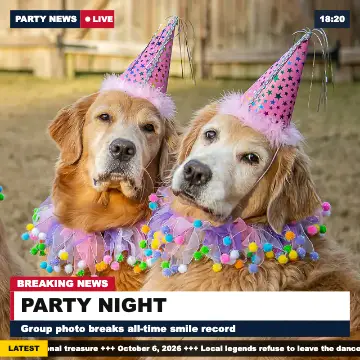

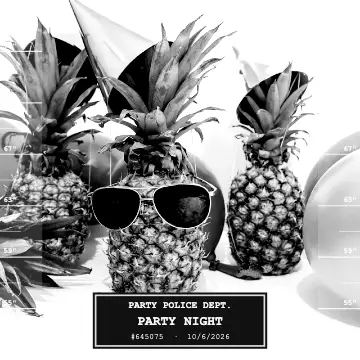








See it in action
Set up a tablet. Guests tap. Done.
Countdown, flash, four photos with an effect — and the photo strip is ready to share or save. This is exactly how the booth runs on an iPad or any other tablet.

Built for real parties
Everything a rented booth does. Minus the rental.
Photo strips like a real photobooth
4 photos stacked like a real booth print, with a white border and optional date stamp — or a 2×2 square or postcard.




2026.10.06
Event mode for a tablet
A big start button, locked settings and a screen that stays on. The booth resets itself for the next guest.
Tap to start — 4 photos!Works offline
Open it once or install it as an app — it keeps running without Wi-Fi at the venue.
Keep every photo of the night
Every collage stays on the device. Download them all as one ZIP at the end — no account, no upload.
For every kind of party
- Birthday parties: Kids and adults take turns — every session ends with a collage they can keep.
- Small weddings: A photo booth corner at the reception without the rental cost.
- Get-togethers: Family reunions, office parties, game nights.
Photo strips
Make photo booth strips online
Pick the Column layout and the booth stacks your four shots into a classic vertical strip with a white border and an optional date stamp — the 4-cut format of mall booths and Korean self-photo studios. Before saving, decorate it with stickers, a pastel frame colour or pattern, or your own PNG logo — it all stays on your device. The same four photos also work as a 2×2 square or a postcard.
The strip is exactly 1:3, so it prints as a 2×6 in (5×15 cm) strip. The Print button sets that page size for you, or puts two strips side by side on one 4×6 in sheet — print it at home or save it for a photo kiosk, then cut it in half.

Photo strip (Column) · 2×6 in print

2×2 square · for chats and feeds
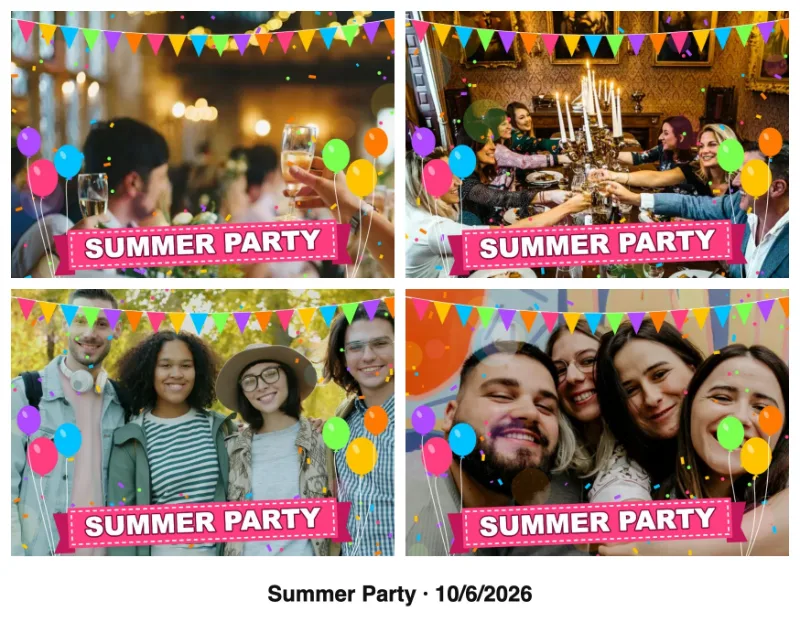
Webcam photo booth for laptop, iPad and phone
The booth uses the camera your device already has. Allow camera access once and the live preview starts — no driver, no app, no account.
- Laptop & desktop
- Built-in or USB webcam with live preview in Chrome, Edge, Firefox and Safari.
- Android
- Chrome uses the front camera of your phone or tablet as a live preview.
- iPhone & iPad
- Safari opens the regular camera app for each of the 4 shots; the booth then adds the effect and builds the collage.
Camera blocked? Click the camera or lock icon in the address bar, allow the camera and tap Try again. Close video calls that hold the camera, and open the page in Chrome or Safari if it started inside Instagram or TikTok. No camera at all? Pick photos from your device instead.
Funny webcam effectsA photo booth app without the App Store
Add the booth to your home screen and it opens like an app: full screen, and it keeps working without Wi-Fi once it has loaded. For a party, switch on event mode — a big start button for guests, locked settings, the screen stays on and the booth resets itself after every collage. On an iPad, Guided Access keeps guests inside the booth.
- iPad & iPhone
- Safari → Share → Add to Home Screen
- Android
- Chrome menu → Install app
- Windows & Mac
- Install icon in the Chrome or Edge address bar
How it works
How the free photo booth works
- 01
Pick your style
Choose an effect (Instant photo, Wanted, Breaking News, and more), a collage layout, and your own caption.
- 02
Take 4 photos
A countdown runs before each shot. Retake any photo you don't like before moving on.
- 03
Get your collage
The 4 photos are arranged into a square, column, or postcard collage automatically.
- 04
Download & share
Save the JPEG to your device and share it with any app you like.
Photo booth vs. photo platform
The booth is a single-device tool. If you want every guest's phone photos in one shared gallery, that is what the photo platform is for.
| Feature | Photobooth Free | Guest Pictures |
|---|---|---|
| Photo booth in the browser, 4 photos + effects | ||
| JPEG collage download | ||
| Guests upload their own photos via QR code | ||
| Shared online gallery for the whole event | ||
| Live slideshow on a TV or projector | ||
| Photo challenges for guests | ||
| Price | Free | Free to start |
Need the shared gallery instead? guest-pictures.com
Guides
Photo booth guides
Ready to start?
Open the booth on the device you'll use at the party. Allow camera access, pick a style, and take the first four photos.
Launch photo boothFree photo booth — FAQ
What is a free online photo booth?
A free online photo booth is a web-based photo booth that runs right in your browser — no app and no signup. Open the free photo booth, take 4 photos with fun effects, and download your collage instantly. It turns any tablet, phone, or laptop into a party photo booth in seconds.
Is this photo booth really free?
Yes. The browser photo booth is free to use with no signup or software fee. You provide the camera device, stand, lighting, and any printing. The downloaded collage has no watermark or branding.
Do I need to download an app or create an account?
No download and no account needed. The free photo booth works instantly online — just open the site in your browser and tap “Launch photo booth”. Nothing to install.
What devices does the free photo booth work on?
The online photo booth works on iPad, iPhone, Android phones and tablets, and desktop computers. Any device with a camera and a modern browser can run it. On iPhone and Safari the booth uses the device's built-in camera app for each shot.
Are my photos uploaded anywhere?
No. Photos are captured and composed entirely in your browser. Nothing is sent to a server — the finished JPEG collage is saved only to your device.
Can I make a 4-photo strip like Korean photo booths?
Yes. Choose the Column layout and the booth stacks four countdown shots into a vertical strip with an optional date stamp — the classic 4-cut format. Afterwards you can pick a pastel frame colour or pattern and add stickers. It prints as a 2×6 in strip, or two on one 4×6 in sheet.
Does it work with a laptop webcam?
Yes. On a laptop or desktop the booth uses the built-in or a USB webcam with a live preview in Chrome, Edge, Firefox or Safari. Allow camera access when the browser asks; if you blocked it, allow it again via the camera icon in the address bar.
How do I download or share my photo booth pictures?
After you take 4 photos, the booth arranges them into a JPEG collage. Download it to your device, then share the saved file with your preferred app or service.
Last updated: